

What Actually Breaks First When an Agency Outgrows Excel
"We should move off spreadsheets" is a conclusion most agencies reach eventually. What's less obvious going in is which specific part of the current process fails first, because "Excel doesn't scale" isn't specific enough to act on. This piece is about the actual failure sequence, not the general verdict.
It's also worth saying plainly: Excel isn't the villain here. It's a genuinely excellent tool for what it was built to do, and plenty of agencies run it well for years. The problem isn't the tool, it's a specific mismatch between what a single-file spreadsheet was designed for (one person, working alone, on one dataset at a time) and what agency reporting actually requires at scale (many people, touching the same numbers, across many client accounts, with the numbers needing to stay consistent the whole time).
That specificity matters because it changes what the fix needs to address. If the real failure point is formula drift, the fix is different than if it's version conflicts between copies, and different again if it's simply the hours a reconciliation cycle eats every month. Most agencies experience some mix of all three, but rarely at the same time or in the same order.
The order matters too, not just the mix. A five-account agency usually feels reconciliation time first, a few extra hours a month that nobody loves but everyone tolerates. Formula drift tends to show up next, once enough report-copies exist that a small inconsistency stops being obvious. Version conflicts are often the last to bite, and the one that finally forces the conversation, because it's the failure that produces a visible, embarrassing moment: two people confidently presenting two different numbers from two files both labeled "final."
Key Takeaways
- "Excel doesn't scale" isn't one failure, it's three distinct ones: formula drift across copies, version conflicts when more than one person edits, and the raw time cost of manual reconciliation, each with a different breaking point.
- Excel's own technical limits (1,048,576 rows, 16,384 columns per Microsoft's official specification) are rarely what an agency actually hits first. The process breaks on collaboration and consistency long before it breaks on raw size.
- Version control in a spreadsheet-based process depends entirely on file-naming discipline and individual habits, neither of which holds up as more people touch the same numbers.
- The fix isn't "more disciplined spreadsheets." It's moving the calculation logic out of individual files and into one governed model everyone references.
Three Different Failures, Not One
Formula drift. Every client's report usually starts as a copy of a previous one. Someone tweaks a formula to handle an edge case, an unusual discount, a mid-month contract change, a one-off campaign structure, and that tweak lives only in that one file. Six months later, two clients' reports that look identical are quietly calculating the same metric two different ways, and nobody remembers when or why they diverged.
Version conflicts. The moment more than one person needs to touch the same numbers, file-based version control starts to strain. Tracking who changed what, and when, depends on naming conventions and individual discipline, "Client_Report_Final_v3_USE_THIS_ONE.xlsx" is a familiar symptom, not a fixable habit. It's not really a technology failure. It's what happens when a single-file format is asked to do a job it was never built for: simultaneous, trackable, multi-person editing. Power BI's workspace model exists specifically to solve this differently, granting a team shared access to one underlying model rather than passing copies of a file back and forth, with roles (Admin, Member, Contributor, Viewer) controlling who can change what instead of a filename controlling it (Microsoft Learn).
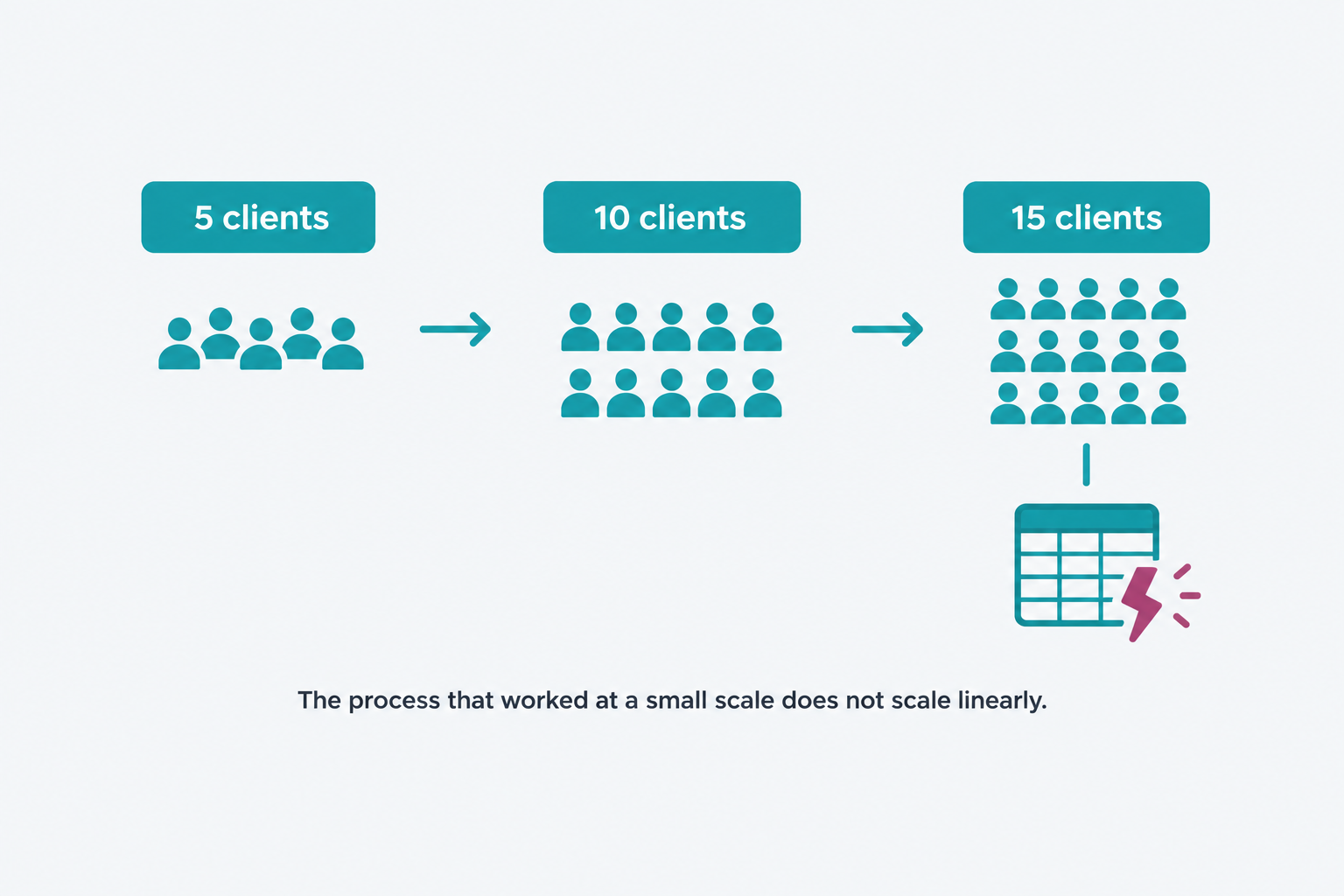
Reconciliation time. Even when formulas are consistent and versions are under control, someone still has to manually pull, blend, and check numbers across platforms every reporting cycle. That work scales roughly linearly with account count, five accounts might mean a few hours a month, fifteen means multiple full days, and it's the failure mode that shows up as burnout and missed deadlines rather than a dramatic error.
Of the three, this one is the easiest to underestimate, because it never produces a single bad moment to point to. Nobody schedules a retro over "reconciliation is slow." It just quietly consumes the hours that would otherwise go toward the work clients are actually paying for, strategy, creative, campaign optimization, until someone finally adds it up and realizes how much of the month is going to manual data-wrangling instead.
It's Almost Never Excel's Technical Limits
Excel's actual technical ceiling is much higher than most agencies ever approach. A worksheet holds up to 1,048,576 rows and 16,384 columns, per Microsoft's own specifications (Microsoft Support). A single agency's monthly campaign data, even across many client accounts, rarely gets anywhere close to that ceiling.
That's worth sitting with, because it means the failure isn't really about data volume. It's about collaboration and consistency, multiple people needing to trust and edit the same numbers, which a single-file format was never designed to support gracefully regardless of how large or small the file is. An agency that hits real trouble at 5,000 rows and one that hits it at 500,000 are usually running into the same structural problem, not a size problem.
This is also why "just get a bigger spreadsheet" or "switch to Google Sheets" rarely solves anything for long. Both keep the core structure intact: one file, one copy at a time genuinely trusted as current, calculation logic re-entered by hand in every new report. A cloud-based spreadsheet improves real-time visibility into who's editing right now, but it doesn't change where the formula logic lives or who's responsible for keeping five different client tabs' definitions consistent with each other. The structural problem survives the platform switch.
Why the Fix Isn't "Better Spreadsheet Discipline"
The instinct is often to solve this with process: a stricter naming convention, a locked template, a designated person who owns the "master" file. These help, briefly, and then erode the same way the last set of conventions did, because the underlying issue was never really about discipline. It's about where the calculation logic lives.
In a spreadsheet-based process, the logic for "how do we calculate ROAS" lives inside individual cells, in individual files, duplicated every time someone builds a new report. There's no single place that logic lives once. Moving to Power BI doesn't fix this by being a fundamentally different kind of tool, it fixes it by relocating that logic into one semantic model that every report references, so the calculation is defined once, in one place, and inherited everywhere instead of copy-pasted and drifted.
That's a genuinely different kind of reliability than "everyone please follow the naming convention this time." A governed measure, built once as a reusable calculation (Microsoft Learn), doesn't depend on anyone remembering a rule. It depends on the report pulling from a shared definition that can't quietly diverge the way a formula buried in cell F47 of someone's personal copy can.
Where This Fits
This is the specific mechanism behind why agencies move from spreadsheets to Power BI, not because Power BI is a fundamentally smarter tool, but because it relocates the calculation logic to one place instead of leaving it scattered across every client's individual file. If your team is already feeling one of the three failures above, formula drift, version conflicts, or reconciliation time eating a growing share of the month, that's usually the clearest signal that the migration is worth scoping now rather than after the failure gets worse.
Not every agency needs to migrate everything at once. The metrics that show up in every client deck are usually the highest-value place to start, the ones where formula drift or a version conflict would actually be noticed and cost something. A useful gut check before scoping anything: pull up the last three months of one client's reports side by side and check whether a core number, spend, leads, or ROAS, was calculated identically across all three. If it wasn't, that's not a hypothetical risk anymore, it's already happened at least once, quietly, without anyone flagging it.
Book a Reporting Diagnostic to find out which of the three failure modes your current process is actually closest to.
Next in this series: unifying five different ad platforms and a CRM into one model, and what "true ROAS" actually means once that reconciliation happens.